01Frame
Capture the page.
Automatic edge detection gives everyday documents a clean, confident starting point.
In your hand
One focused view for the moment after capture — a calm place to find the page, check the details, and keep moving.
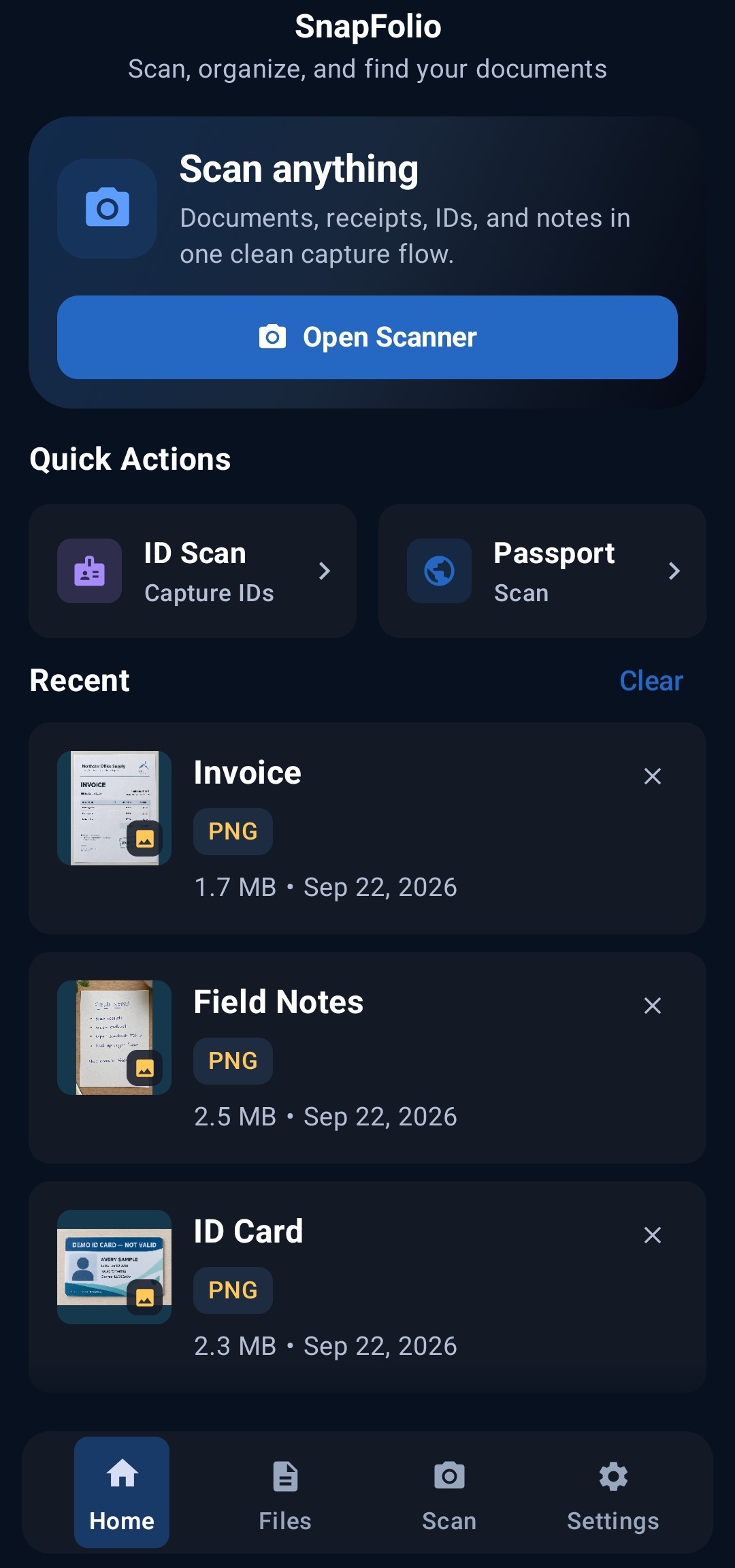
A calm, capable scanner for the pages you need to keep moving — captured cleanly, organized quietly, and ready wherever the work goes next.
Ideas move faster when the paper does not have to.
Built around the next step
SnapFolio is made for the in-between moments: a receipt at the counter, a signed page after a meeting, a sketch you do not want to lose.
The short version
From first frame to finished file, every part of SnapFolio is designed to stay out of the way.
Automatic edge detection gives everyday documents a clean, confident starting point.
Polish the page, build a multi-page scan, and let OCR do the tedious part.
Export the right format and keep your library close, private, and ready to share.
The full toolkit / 11 capabilities
Scan, refine, organize, and move documents through one focused workspace.
Recognize text from scans and PDFs. Copy the extracted text, create searchable PDFs, or export it as TXT, PDF, Word, or Excel files.
Merge PDFs or images, split pages, crop and rotate pages, compress files, and password-protect or unlock PDFs.
Save signatures and place, resize, or apply them to PDF pages.
Back up to a folder you choose and restore files. New backups use a recovery key to protect their contents.
Capture a passport photo page, with an optional supporting page.
Capture the front and back of an ID together in one PDF.
Scan multipage documents, trim or crop edges, rotate pages, and adjust color and detail. Save in PDF, JPG, PNG, WebP, TIFF, or BMP formats.
Search and sort files; use folders, tags, favorites, Archive, and Trash with restore.
Import PDFs and images, share or email documents, and copy or move files to the device.
Use App Lock with biometrics or the device PIN, plus Private View and screenshot protection in protected sessions. These controls protect the app interface; they do not encrypt individual documents.
Recognize supported codes and show results such as URLs, Wi-Fi details, and contact information.
The real screens · 01—08
Move from capture to a well-kept library. Open any screen to see the details.
The quiet difference
SnapFolio keeps the everyday archive close to the device in your hand, with the controls you need when a document is not meant for everyone.
SNAPFOLIO / 2026